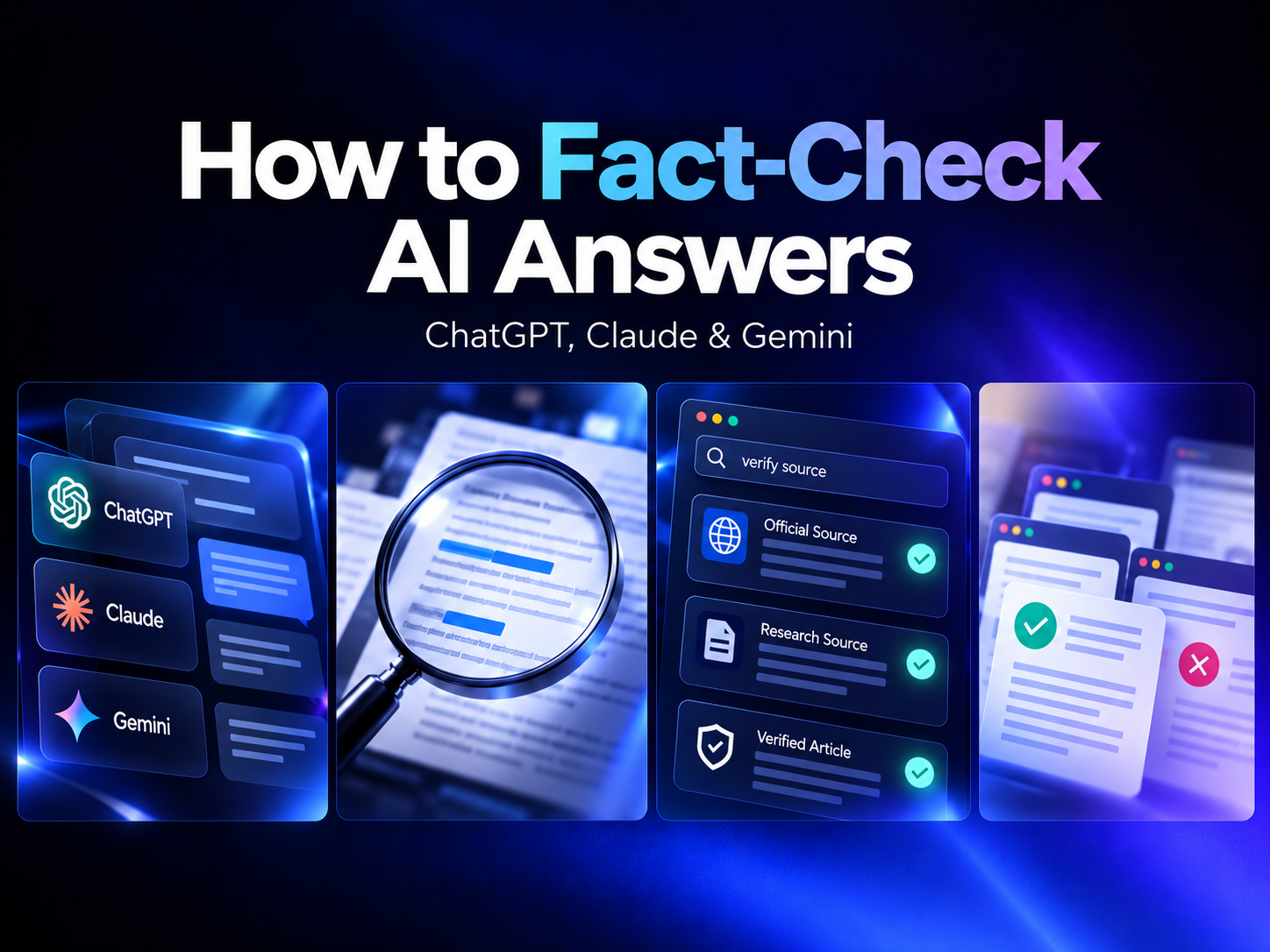
Artificial intelligence has completely transformed how we search for information, create content, solve problems, and make decisions. AI assistants like ChatGPT, Claude, and Google Gemini can deliver detailed answers within seconds.
But there's one important question every AI user should ask:
Can you trust everything AI tells you?
The simple answer is no.
Although AI tools are becoming increasingly sophisticated, they can still produce incorrect facts, outdated information, misleading statistics, and even references that don't exist.
Whether you're a student, content creator, designer, marketer, business owner, or researcher, learning how to fact-check AI-generated information is an essential digital skill.
In this guide, we'll explore why AI makes mistakes, how to verify answers from popular AI assistants, and the best techniques to ensure the information you use is accurate and trustworthy.
1. Why Do AI Tools Sometimes Give Incorrect Answers?
AI assistants are designed to generate useful responses based on patterns learned during training and, in some cases, information retrieved through connected tools.
However, generating a convincing answer isn't the same as verifying that answer.
AI Hallucinations
An AI hallucination occurs when an AI system generates information that is false, fabricated, or unsupported but presents it as if it were factual.
Examples include:
- Inventing research studies or academic references.
- Providing incorrect historical dates.
- Creating statistics without reliable sources.
- Quoting statements that someone never made.
- Recommending nonexistent websites or software features.
Outdated Information
AI models may not always have access to the latest information.
For example, an AI assistant might provide outdated pricing, software features, government regulations, or product specifications.
Even when an AI tool has web-search capabilities, it may retrieve outdated or unreliable sources.
Misinterpreted Questions
Sometimes AI generates an incorrect answer because it misunderstands the context of a question.
A question involving multiple countries, dates, product versions, or technical requirements may lead to an answer based on the wrong assumptions.
Key takeaway: AI-generated content should be treated as a helpful starting point, not an automatically verified source of truth.
2. How to Fact-Check ChatGPT Answers
ChatGPT is widely used for research, writing, programming, business planning, and everyday problem-solving.
Here are practical ways to verify its responses.
Step 1: Ask ChatGPT for Sources
Instead of accepting an answer immediately, ask:
"Can you provide reliable sources supporting this information, including direct links and publication dates?"
Then open those links and check whether they actually support the claims.
Step 2: Verify Important Claims Independently
If ChatGPT provides a statistic, historical fact, or technical recommendation, search for that information through trusted external sources.
For example, if ChatGPT claims that a particular marketing strategy increases conversions by 45%, look for the original study, its methodology, and the context behind that number.
Step 3: Check Dates and Updates
Information about technology changes frequently.
Always confirm whether the answer refers to the latest software version, policy update, or industry development.
Step 4: Use Web Search When Available
ChatGPT's search capabilities can help retrieve more recent information and provide source links.
However, a cited AI answer is not automatically a verified answer. You should still inspect the original sources.
3. How to Fact-Check Claude AI Answers
Claude, developed by Anthropic, is commonly used for writing, document analysis, research, and coding.
While Claude can provide detailed explanations, its responses should still be verified.
Verify Document-Based Answers
When Claude summarizes a PDF, report, or uploaded document, compare important statements with the original file.
Pay particular attention to numerical data, quotations, conclusions, and references.
Request Supporting Evidence
Ask Claude:
"Identify the factual claims in your response and explain what evidence supports each one. Clearly mark anything uncertain or unverified."
This helps separate statements that need external verification from interpretations or suggestions.
Validate Technical Information
If Claude generates programming solutions, legal explanations, or financial calculations, verify the results against official documentation, qualified professionals, or independent tests as appropriate.
Pro tip: For long AI-generated reports, verify the most important claims first instead of checking every sentence equally.
4. How to Fact-Check Google Gemini Answers
Google Gemini can assist with research, content creation, analysis, and questions involving current information.
Depending on the product and available features, Gemini may provide links or tools to help check responses.
Use Available Source-Checking Features
Where available, use Gemini's source-checking or Google Search-related features to investigate factual claims.
Remember that finding similar text online does not necessarily prove that a statement is correct.
Cross-Reference with Trusted Websites
For technical information, consult official developer documentation.
For scientific claims, look for peer-reviewed studies or reputable research institutions.
For government policies, check the relevant official government website.
Verify Statistics and Quotes
When Gemini provides a percentage, research finding, or quotation, locate the original source.
Confirm that the numbers and wording match the source and haven't been taken out of context.
5. The 5-Step AI Fact-Checking Framework
You can use this simple process to verify information generated by almost any AI assistant.
Step 1: Identify the Main Claims
Break the AI response into individual factual statements.
Focus on dates, names, statistics, quotations, product specifications, and factual conclusions.
Step 2: Find the Original Source
Search for primary sources rather than relying only on websites that repeat the same claim.
Examples include official documentation, original research papers, government publications, and company announcements.
Step 3: Compare Multiple Independent Sources
Cross-check important information against two or more credible, independent sources whenever possible.
Multiple websites repeating the same incorrect information do not make it true.
Step 4: Check Context and Publication Dates
Determine when the information was published and whether it remains applicable.
An article written several years ago may not accurately describe current AI capabilities, technology pricing, or regulations.
Step 5: Make a Final Accuracy Assessment
Classify each important claim as:
- Verified: Supported by credible evidence.
- Partially verified: Some details are correct, but important qualifications are missing.
- Unverified: Insufficient evidence is available.
- Incorrect: Reliable evidence contradicts the claim.
This framework helps prevent unsupported AI-generated information from being published or used in important decisions.
6. Best Tools and Websites for Checking AI-Generated Information
Several trusted resources can help you validate AI answers.
| Tool or Resource | Best Used For |
|---|---|
| Google Search | Finding original sources and cross-checking claims |
| Google Scholar | Academic papers and scientific research |
| Google Fact Check Explorer | Discovering published fact-checks |
| Reuters Fact Check | Investigating widely circulated claims |
| Snopes | Checking viral stories and internet misinformation |
| Official government websites | Laws, regulations, public statistics, and policies |
| Official product documentation | Software features, technical specifications, and updates |
No single tool can verify every type of claim. Choose sources that match the subject you're investigating.
7. How to Verify AI-Generated Images and Videos
AI misinformation isn't limited to written answers.
Generative AI can also create realistic images, voices, and videos that appear authentic.
Here are a few useful verification techniques.
Reverse Image Search
Use Google Lens or another reverse-image-search tool to look for earlier appearances of an image.
This can help identify whether an image has been reused, edited, or shared with misleading context.
Investigate the Original Source
Check who originally published the image or video, when it appeared, and whether reputable sources confirm the event shown.
Examine Content Credentials
Some media files include Content Credentials or other provenance information that may provide details about their creation and editing history.
However, missing metadata does not prove an image is authentic or AI-generated.
Avoid Relying Only on AI Detectors
AI detection tools can produce false positives and false negatives.
Use them as supplementary signals rather than definitive proof.
8. Common Mistakes People Make When Trusting AI Answers
Even experienced AI users can fall into these traps.
Mistake 1: Assuming detailed answers are accurate.
An answer can sound professional and confident while containing incorrect information.
Mistake 2: Trusting citations without opening them.
AI-generated citations may be irrelevant, misinterpreted, outdated, or occasionally fabricated.
Mistake 3: Using one AI to verify another AI.
Asking ChatGPT to check Gemini, or Claude to check ChatGPT, may reveal inconsistencies, but agreement between AI systems is not independent evidence.
Mistake 4: Ignoring publication dates.
Information that was accurate last year may no longer be valid.
Mistake 5: Publishing AI-generated content without review.
Unverified claims can damage a brand's credibility and spread misinformation.
9. How Businesses and Content Creators Can Use AI Responsibly
AI tools offer significant opportunities for businesses, particularly in marketing, website design, content creation, and customer communication.
However, accuracy matters just as much as creativity.
Before publishing AI-assisted content, businesses should:
- Verify statistics used in marketing campaigns.
- Confirm product descriptions and specifications.
- Review AI-generated blog articles for factual accuracy.
- Check customer-facing information for outdated details.
- Ensure testimonials and case studies are genuine.
- Have qualified experts review high-stakes claims.
For example, a digital agency using AI to prepare website content should verify industry statistics, accessibility guidance, and technical recommendations before publishing.
At UXChimp, we believe AI can support faster creative workflows, but thoughtful human review remains essential for producing reliable, meaningful digital experiences.
10. Useful Prompts to Help Fact-Check AI Responses
You can improve your verification workflow by asking more specific questions.
Prompt 1: Identify Unsupported Claims
"Review your previous response and list every factual claim that requires verification. Clearly identify any statements that are uncertain or unsupported."
Prompt 2: Request Primary Sources
"Provide original, authoritative sources for the five most important claims in your answer. Include direct links where available, and do not invent references."
Prompt 3: Check for Outdated Information
"Identify any information in your answer that may have changed recently. Explain what needs to be checked against current official sources."
Prompt 4: Evaluate Contradictory Evidence
"What credible evidence might contradict this answer? Distinguish established facts from assumptions, estimates, and opinions."
Prompt 5: Create a Verification Checklist
"Turn this answer into a fact-checking table with columns for claim, supporting source, publication date, verification status, and notes."
Important: These prompts can help organize the verification process, but they cannot guarantee accuracy without independent source checking.
11. The Future of AI Accuracy and Trust
AI technology continues to evolve, with improvements in web retrieval, source attribution, reasoning, and tools designed to reduce unsupported answers.
However, no major AI assistant should be assumed to be completely error-free.
As AI becomes more deeply integrated into search engines, workplaces, education, and digital products, the ability to evaluate information critically will become increasingly valuable.
The most effective approach is to combine AI's speed with human judgment and reliable evidence.
AI can help you discover information, organize research, and generate ideas. Verification helps ensure those outputs deserve your trust.
Conclusion: Trust AI, but Verify the Facts
ChatGPT, Claude, and Google Gemini are powerful tools that can save time and improve productivity.
But even the most advanced AI systems can make mistakes.
By checking original sources, validating important claims, reviewing publication dates, and questioning unsupported statements, you can use AI more confidently and responsibly.
Remember: AI can generate an answer in seconds, but accuracy still requires evidence.
Whether you're researching a topic, creating marketing content, designing a website, or making a business decision, fact-checking should always be part of your AI workflow.
Build Smarter Digital Experiences with UXChimp
Looking to create a modern website, improve your brand identity, or develop engaging digital experiences?
At UXChimp, we combine creative thinking, user-focused design, and modern digital workflows to help businesses build a stronger online presence.
Let's turn your ideas into impactful digital experiences.
Frequently Asked Questions
Can ChatGPT provide incorrect information?
Yes. ChatGPT can generate inaccurate facts, outdated details, and unsupported claims. Important information should be checked against reliable external sources.
Is Claude more accurate than ChatGPT?
Accuracy varies depending on the task, model version, available tools, and subject matter. Neither should be considered universally more accurate across every use case.
Can Google Gemini fact-check information automatically?
Gemini offers source-related and verification features in some experiences, but users should still independently review important claims and their supporting evidence.
What is the best way to verify AI-generated content?
Identify factual claims, locate authoritative primary sources, compare independent evidence, and check publication dates and context.
Can AI-generated citations be fake?
Yes. AI systems can sometimes produce fabricated or incorrect citations. Always confirm that the cited source exists and supports the claim.
Should businesses publish AI-generated blogs without reviewing them?
No. Human editorial review and fact-checking help maintain content quality, brand credibility, and reader trust.